
Review · 2026
Seedance 2.5 Review (2026): 30-Second AI Video Generation, 50 References & Native 4K Tested
By Ethan Liu, Senior AI Video Tools Editor · Updated July 1, 2026
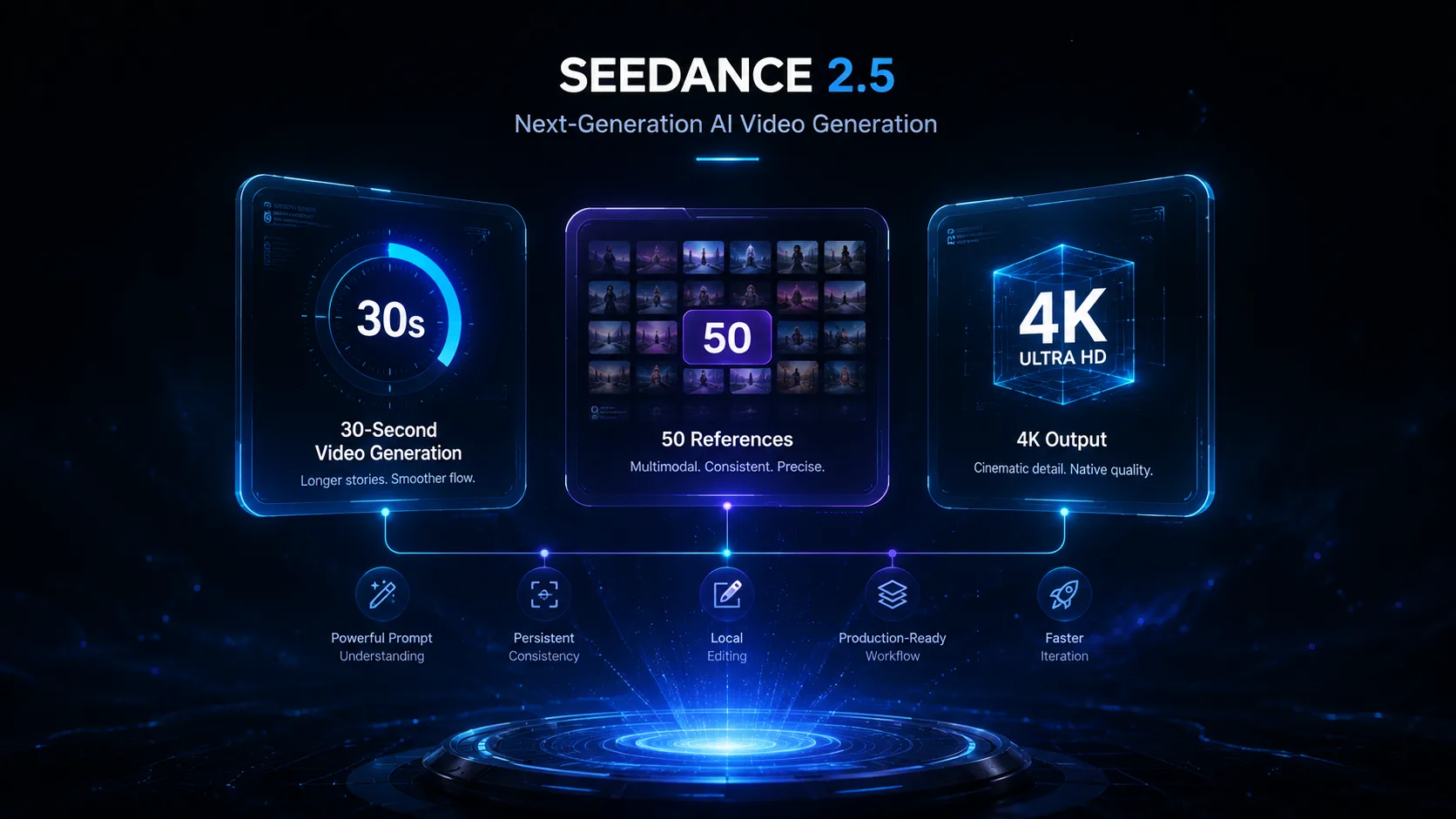
Seedance 2.5 is ByteDance's newest AI video generation model, introducing longer video generation, stronger reference consistency, native 4K output, and local editing designed for professional creative workflows.
In this review, we tested Seedance 2.5 from the perspective of real creators rather than benchmark scores. Instead of asking whether it can generate impressive demo clips, we evaluated whether it can reliably produce videos suitable for advertising, product marketing, filmmaking, and commercial content creation.
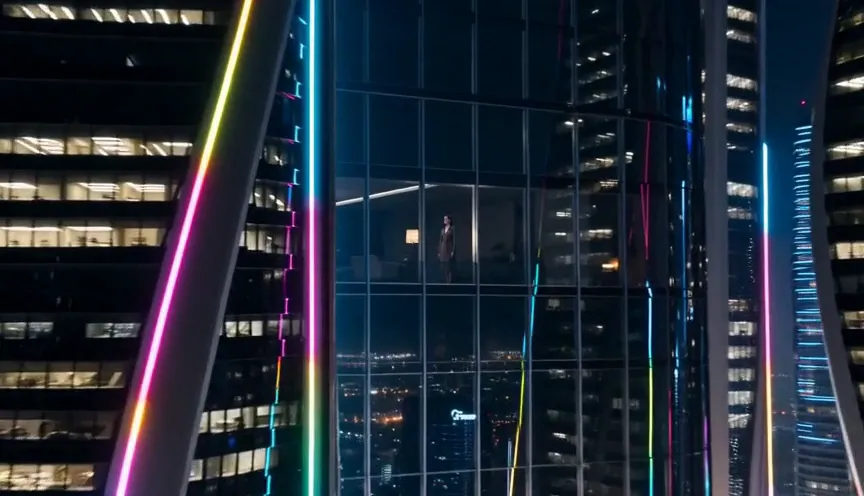
Quick Answer
Should you use Seedance 2.5?
Yes — if your goal is creating polished, production-ready AI videos rather than short experimental clips. The biggest improvements in Seedance 2.5 are not just better visuals but a better workflow.
Native 30-second generation reduces the need to stitch multiple clips together, support for up to 50 multimodal references greatly improves character and product consistency, and local editing allows targeted revisions without rendering an entire video again.
For filmmakers, agencies, ecommerce brands, and professional creators, these changes make Seedance 2.5 one of the strongest AI video generation models currently available. If you mainly create quick social media drafts or concept clips, however, a lighter model may still provide better value.
Quick Verdict
Overall Rating
4.6
out of 5
Pros
Cons
Seedance 2.5 at a Glance
| Area | Seedance 2.5 capability | Production value |
|---|---|---|
| Native generation length | Up to 30 seconds | Longer uninterrupted storytelling |
| Reference support | Up to 50 multimodal references | More stable characters, products, and styles |
| Editing workflow | Local region editing | Fix selected areas instead of regenerating the whole clip |
| Output quality | Native 4K | More room for commercial delivery and post-production |
Who Should Read This Review?
This review is designed for creators who are deciding whether Seedance 2.5 fits their workflow — not just people curious about the latest AI model.
It will be especially useful if you are:
- Creating product advertisements
- Producing ecommerce marketing videos
- Building consistent AI characters
- Developing cinematic short films
- Working in an agency environment
- Comparing Seedance 2.5 with Veo, Sora, Kling, or Runway
Rather than repeating official feature lists, we focus on how those features affect real production work.
What Is Seedance 2.5?
Seedance 2.5 is ByteDance's latest AI video generation model built for creators who need more than isolated video clips. While previous versions already delivered high-quality short generations, the latest release shifts its focus toward complete production workflows.
The model supports both text-to-video and image-to-video generation. Users can describe a scene with natural language, provide one or more reference images, and generate videos that maintain stronger visual consistency than previous versions.
The most significant change is that Seedance 2.5 is designed to produce videos that require fewer manual corrections after generation. Instead of repeatedly generating new clips to fix small mistakes, creators can maintain longer scenes, preserve character identity more effectively, and make localized edits without starting over.
These improvements make the model particularly appealing for commercial production, where consistency across multiple shots is often more important than creating a single visually impressive frame.
Why Is Seedance 2.5 Different?
Many AI video models compete primarily on visual quality. Seedance 2.5 takes a different approach by improving the entire production workflow.
The better question is: can it reliably produce a finished video that I would actually deliver to a client?
Professional creators need stable character identity, predictable camera movement, consistent lighting, reliable prompt interpretation, editable outputs, and efficient iteration. Seedance 2.5 addresses these practical requirements through longer generation, expanded reference support, and localized editing.
What's New in Seedance 2.5?
Compared with Seedance 2.0, the latest version focuses on removing common production bottlenecks rather than simply improving visual fidelity. Below are the four most important upgrades.
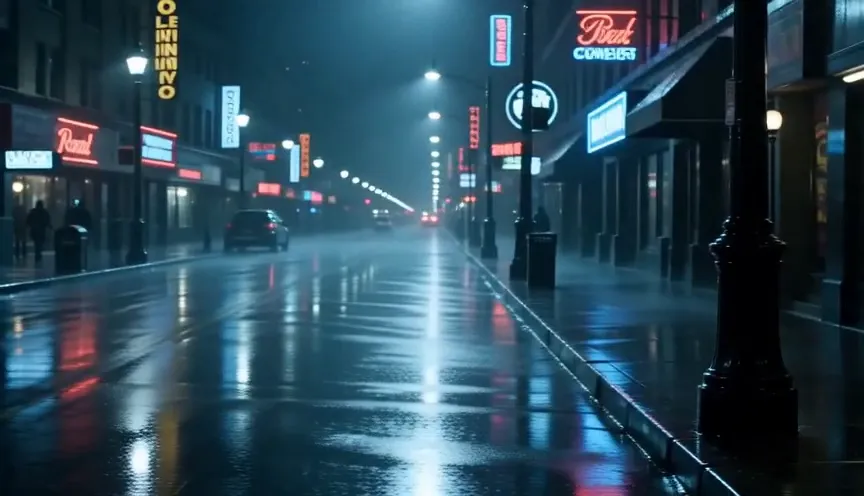
Native 30-Second Video Generation
Seedance 2.5 can generate continuous videos up to 30 seconds, allowing scenes to unfold naturally with smoother pacing and fewer interruptions.
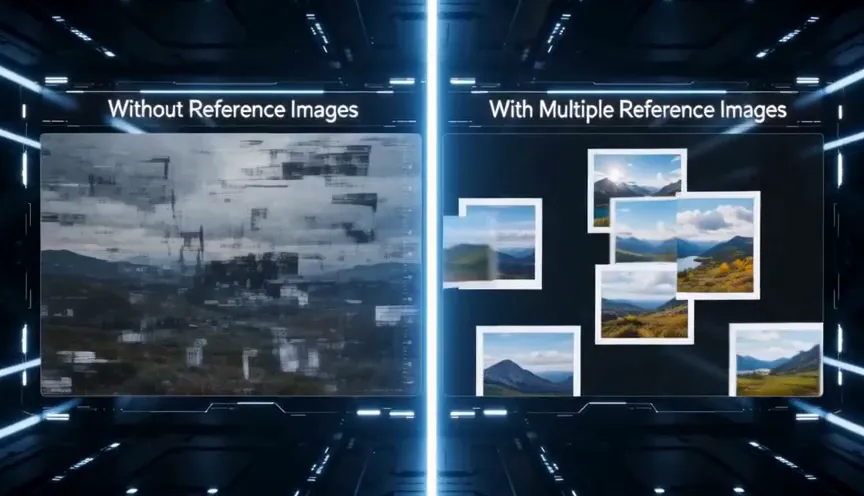
Support for Up to 50 Multimodal References
Seedance 2.5 supports up to 50 multimodal references, making it easier to maintain consistent characters, products, environments, and artistic styles across an entire sequence.
Local Region Editing
Seedance 2.5 allows creators to modify only selected regions while preserving everything else, reducing the need to regenerate an entire video for a small mistake.
Native 4K Output
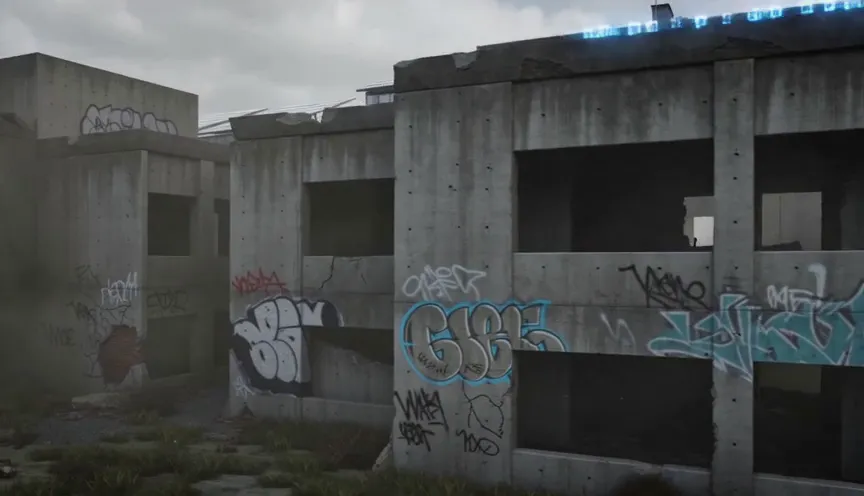
Native 4K output gives professional creators more flexibility for cropping, large displays, commercial publishing, and post-production detail retention.
Hands-on Testing: How We Evaluated Seedance 2.5
Most reviews focus on listing new features or repeating official announcements. That information is useful, but it doesn't answer the question most creators actually have:
Can Seedance 2.5 reliably produce videos that are ready for real projects?
To answer that question, we evaluated the model using practical creative workflows instead of synthetic benchmark scores. Rather than measuring isolated frame quality, we focused on how well Seedance 2.5 handled complete production tasks that creators perform every day.
Our evaluation emphasized five areas:
- Product advertising
- Character consistency
- Camera movement
- Image-to-video animation
- Local editing
Test Environment
We scored each test using the following criteria:
Test 1 — Luxury Product Commercial
Goal
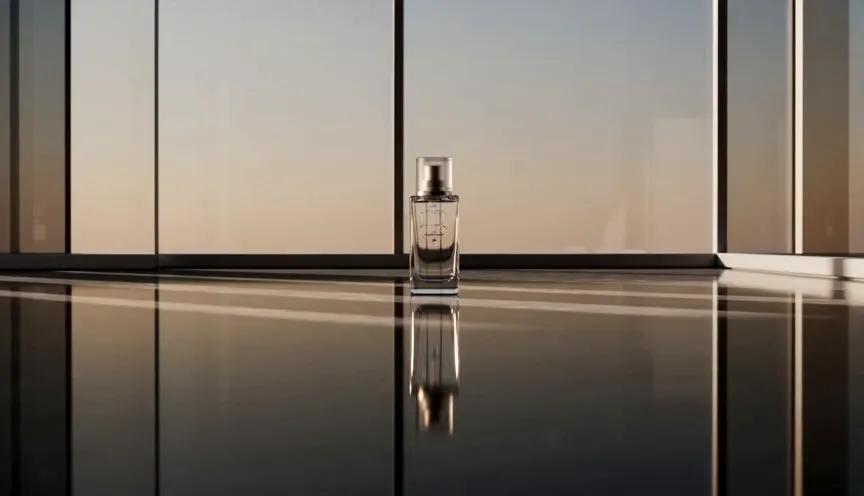
Create a premium skincare advertisement suitable for a landing page or social media campaign. The video should present the product with smooth cinematic movement, realistic reflections, and premium lighting while maintaining accurate product proportions throughout the sequence.
A premium skincare bottle stands on polished black marble.

Warm morning sunlight streams through floor-to-ceiling windows.

Tiny water droplets slowly slide across the glass surface.

The camera begins with a wide establishing shot before smoothly orbiting the bottle and ending with a cinematic macro close-up.

Luxury commercial photography.

Ultra realistic.

Native 4K.
What We Evaluated
- Product consistency
- Material realism
- Reflection quality
- Camera movement
- Lighting continuity
- Commercial presentation
Results
Analysis
This was one of the strongest results in our testing. The bottle maintained a consistent shape throughout the video, avoiding the subtle geometry changes that often appear in AI-generated product shots. Lighting transitions felt natural, reflections remained believable, and the slow orbit camera movement resembled footage captured on a professional motion-control rig. For ecommerce and luxury product marketing, the output required very little additional editing before it could be integrated into a commercial workflow.
Verdict
Excellent for premium product advertising.
Test 2 — Character Consistency
Maintaining the same character across multiple camera angles remains one of the biggest challenges for AI video generation. To evaluate Seedance 2.5, we prepared a small reference set that included front, side, and three-quarter portraits of the same character, along with full-body and clothing references.
Goal
Generate a continuous cinematic sequence while preserving facial identity, hairstyle, clothing, body proportions, and accessories.
Follow the supplied reference character exactly.

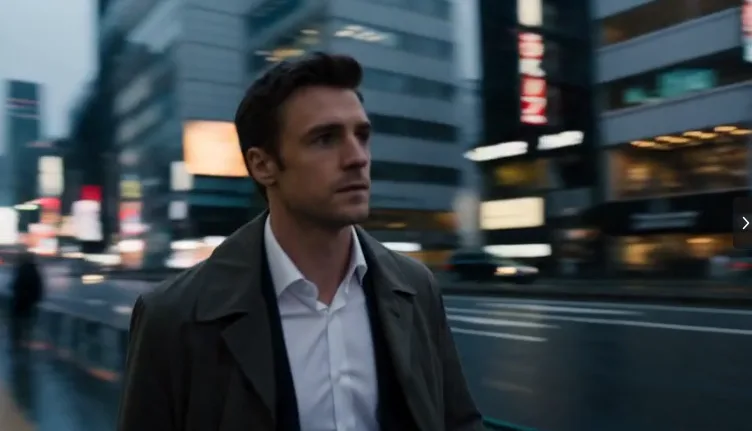
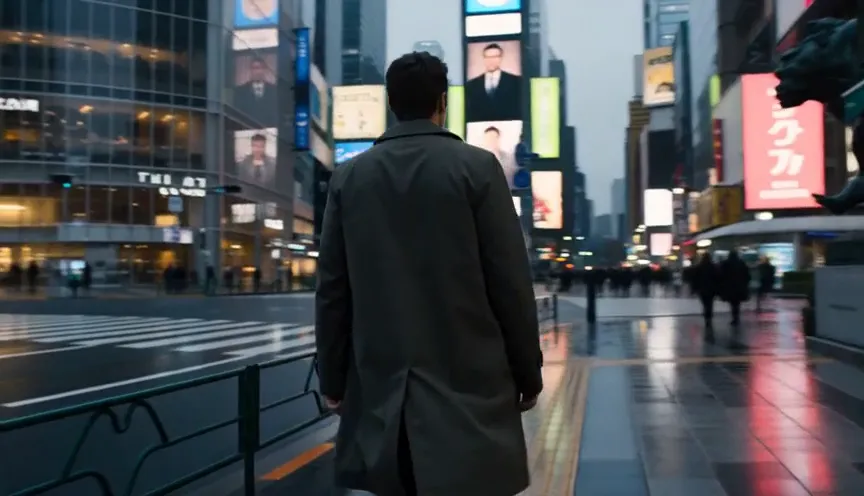
He walks through a modern Tokyo street after sunset.

Neon reflections illuminate the wet pavement.

The camera follows from behind before moving smoothly to the front.

Natural walking motion.

Soft cinematic lighting.

Movie-quality realism.
Results
Analysis
Character stability is noticeably stronger than in previous versions. Even after multiple camera angle changes, facial proportions remained highly consistent. Small variations still appeared occasionally, particularly in hand details during faster movement, but these were minor compared with earlier AI video models. The overall identity remained convincing throughout the sequence.
Verdict
One of Seedance 2.5's biggest strengths.
Test 3 — Cinematic Camera Movement
Camera motion often determines whether AI video feels cinematic or artificial. Many generators can produce attractive still frames but struggle to maintain believable camera movement over time.
Goal
Generate a smooth cinematic tracking shot with natural pacing.
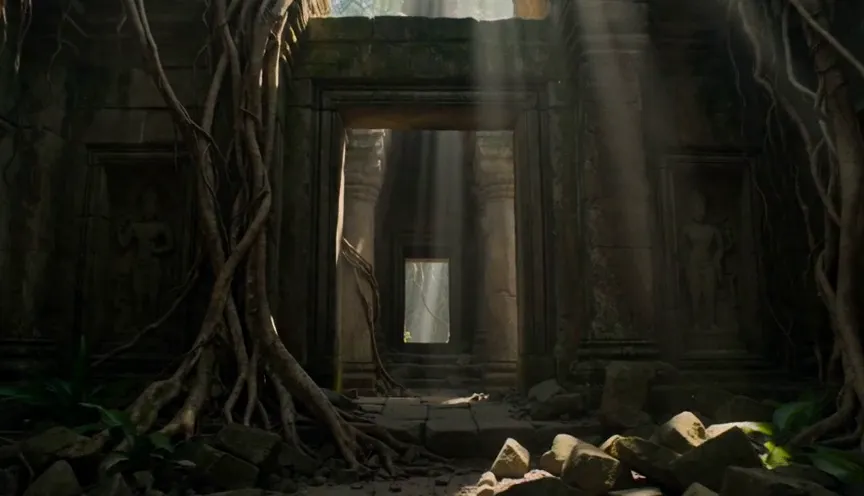
A lone explorer walks through an ancient temple hidden inside a rainforest.

The camera begins with a wide establishing shot before slowly tracking forward.

Volumetric sunlight passes through broken stone arches.

Dust floats naturally in the air.

Epic cinematic atmosphere.
What We Evaluated
- Camera stability
- Motion smoothness
- Subject tracking
- Environmental coherence
- Scene continuity
Results
Analysis
The camera movement felt intentional rather than random. Instead of drifting unpredictably, the virtual camera followed a smooth path that reinforced the cinematic composition. Environmental motion, including floating dust and moving vegetation, remained synchronized with the overall scene.
Verdict
Excellent for cinematic storytelling and film previsualization.
Test 4 — Image-to-Video Animation
Image-to-video remains one of the most popular AI video workflows. Rather than creating an entirely new scene, the challenge is to animate an existing image while preserving its composition and identity.
Goal
Animate a still portrait without introducing unwanted changes.
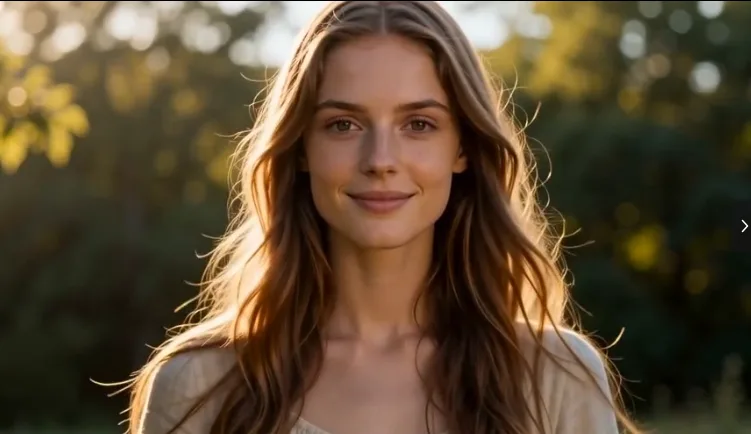
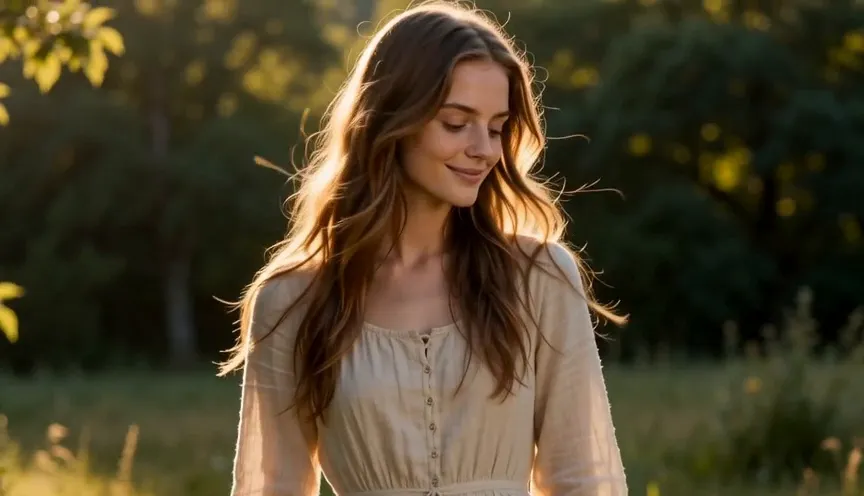
Animate the supplied portrait.

The subject smiles gently before turning toward the camera.

Soft wind moves her hair naturally.

Golden-hour sunlight.

Slow cinematic push-in.

Photorealistic.
Results
Analysis
The animation remained subtle and believable. Rather than exaggerating movement, Seedance introduced realistic facial expressions and gentle environmental motion while preserving the original composition. This makes it especially useful for portrait animation, digital marketing, and social media content.
Verdict
Reliable for portrait and lifestyle animation.
Test 5 — Local Region Editing
The final workflow focused on one of the most practical new features: local region editing.
Goal
Modify only the product color while preserving camera movement, lighting, background, timing, and composition.
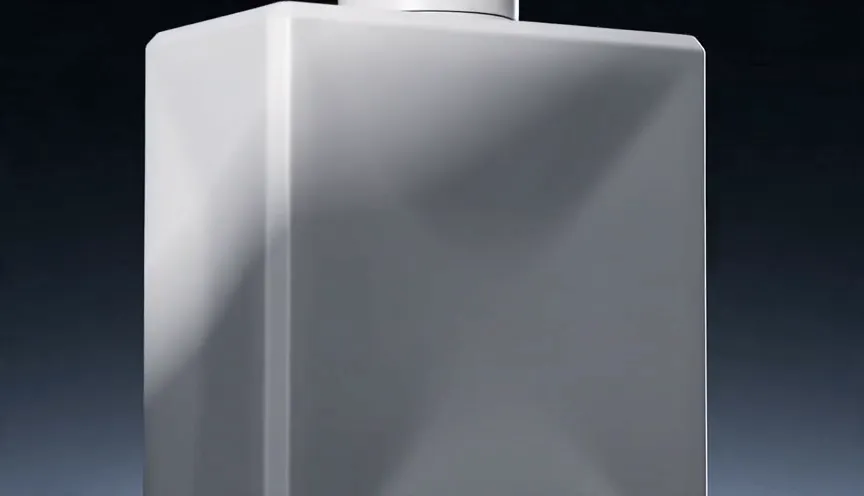
Replace the black perfume bottle with a matte white version while keeping every other element unchanged.
Results
Analysis
Instead of regenerating the entire commercial, Seedance modified only the selected object. The camera path remained identical, surrounding reflections stayed consistent, and the overall scene required minimal cleanup. For brands creating multiple product variations, this feature alone could significantly reduce production time.
Verdict
A major workflow improvement for commercial creators.
Overall Hands-on Test Results
Overall Performance Score
4.8 / 5
Across all five practical tests, Seedance 2.5 consistently demonstrated strengths in the areas that matter most for professional creators: reliable prompt interpretation, stable character identity, cinematic camera movement, and efficient post-generation editing. While no AI video model is completely free from occasional artifacts, the improvements in workflow and consistency make Seedance 2.5 feel much closer to a production tool than a simple clip generator.
Seedance 2.5 vs Seedance 2.0: Is It Worth Upgrading?
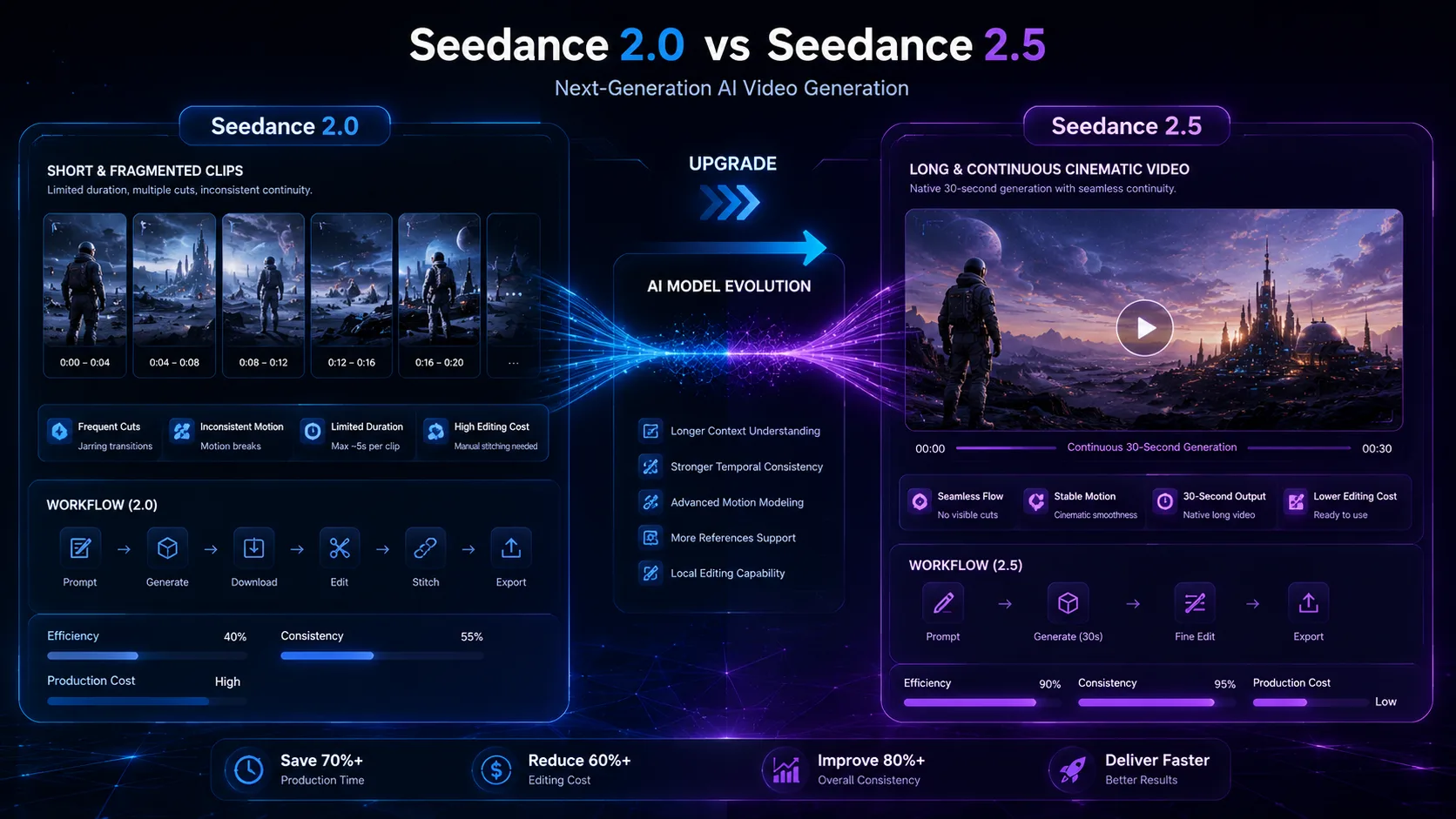
One of the biggest questions surrounding Seedance 2.5 isn't whether it generates better-looking videos — it's whether the upgrade meaningfully improves the creative workflow.
Seedance 2.5 isn't simply a visual upgrade. It's a workflow upgrade.
If your projects involve long-form storytelling, consistent characters, product marketing, or client work, the improvements are immediately noticeable. If you primarily create short experimental clips, however, the difference is much smaller.
Quick Winner Table
| Comparison | Seedance 2.0 workflow | Seedance 2.5 workflow | Winner |
|---|---|---|---|
| Long video generation | Multiple short clips and manual stitching | Native continuous generation up to 30 seconds | Seedance 2.5 |
| Character consistency | More visible identity drift across changes | Better facial structure, clothing, and accessory consistency | Seedance 2.5 |
| Prompt understanding | Strong with clear simple prompts | Preserves more long cinematic instructions | Seedance 2.5 |
| Camera motion | Reasonable basic tracking | Smoother acceleration, cleaner orbits, stronger cinematic pacing | Seedance 2.5 |
| Commercial production | Useful for drafts and concept clips | Stronger reference workflow and local editing for repeatable delivery | Seedance 2.5 |
| Editing workflow | Regenerate when one detail is wrong | Adjust only the affected region | Seedance 2.5 |
The Biggest Difference Is Workflow
Looking only at screenshots can be misleading. A single frame generated by Seedance 2.0 may look very similar to one generated by Seedance 2.5. The real difference becomes obvious during production.
Typical Seedance 2.0 Workflow
- Idea
- Write Prompt
- Generate
- Notice mistakes
- Regenerate entire clip
- Repeat
Typical Seedance 2.5 Workflow
- Idea
- Prepare references
- Generate
- Local edit
- Export
- Deliver
Instead of starting over every time a small issue appears, creators can refine individual elements while keeping the rest of the sequence intact. For commercial projects, this can significantly reduce production time.
Upgrade to Seedance 2.5 if you
You can stay with Seedance 2.0 if you
Best Use Cases
Different creators value different capabilities. Here's where Seedance 2.5 performs best.
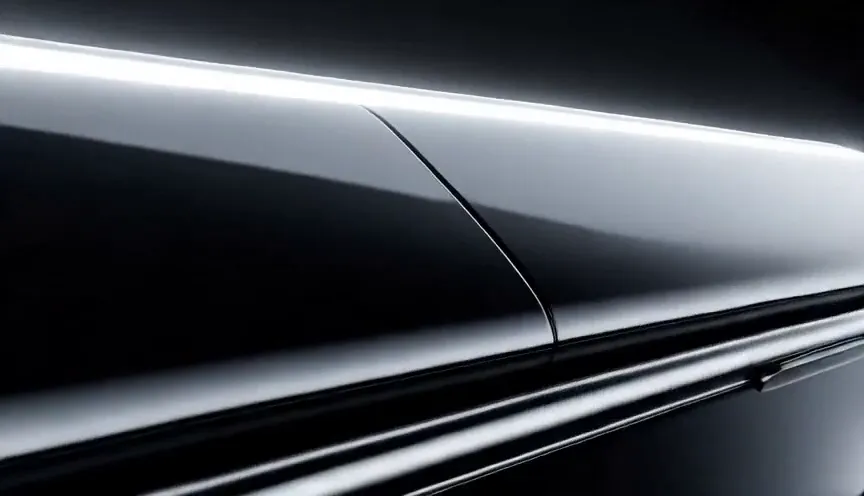
Pricing & Value
Pricing should always be evaluated alongside the time saved during production. If your workflow involves repeated revisions, character consistency, or client feedback, the additional capabilities of Seedance 2.5 can reduce manual work and improve efficiency.
For hobbyists creating occasional short clips, the extra features may not justify the added rendering cost. For agencies, brands, and professional creators, however, the improved workflow often delivers better long-term value than simply generating faster but less consistent videos.
When evaluating any AI video generator, price should never be considered in isolation. The more important question is how much time the model saves during production. Seedance 2.5 is positioned as a professional AI video model rather than a lightweight concept generator, and features such as native 30-second generation, expanded reference support, and local region editing require more computing resources.
With older workflows, correcting a small issue — such as the wrong bottle color or an unwanted reflection — might require regenerating the entire clip. Seedance 2.5's local editing workflow allows creators to correct only the affected area, saving both time and compute. You can compare current credit packs on the pricing page.
Final Recommendation
Which version helps me finish projects faster?
For creators producing polished commercial videos, the answer is clearly Seedance 2.5. Its strengths are not limited to image quality. Longer generation, improved consistency, richer reference support, and local editing combine to create a workflow that is more predictable, more efficient, and better suited to real production.
How to Use Seedance 2.5
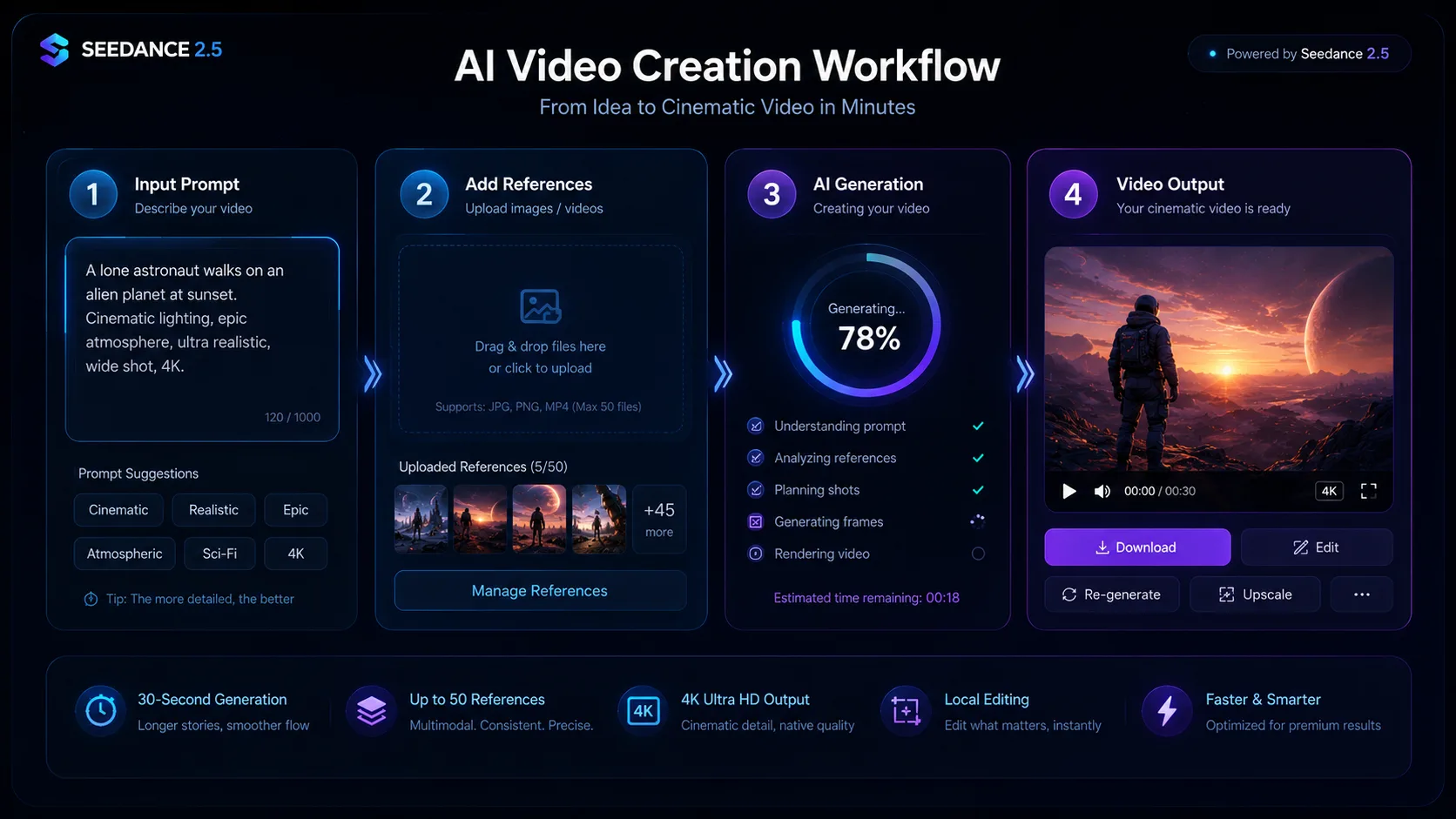
Although Seedance 2.5 includes several advanced capabilities, the basic workflow remains straightforward. For a step-by-step walkthrough inside the tool UI, see how to use Seedance 2.5.
Step 1 — Decide What You Want to Create
Choose the final objective before writing a prompt. Examples include product advertisement, fashion campaign, architecture visualization, film scene, and social media video.
Step 2 — Prepare Your References
Gather character images, product photos, environment concepts, lighting inspiration, and color palettes. High-quality references dramatically improve consistency throughout longer videos.
Step 3 — Write a Structured Prompt
Use a logical structure instead of a long paragraph of keywords: Subject, Environment, Action, Camera, Lighting, Mood, and Quality.
Step 4 — Generate and Review
After generation, evaluate character consistency, camera movement, lighting, motion quality, and product accuracy. Treat the first result as a draft rather than the final version.
Step 5 — Refine with Local Editing
If only one element needs adjustment, use local editing instead of regenerating the entire sequence. Typical edits include background replacement, product color changes, clothing updates, unwanted object removal, and facial expression refinement.
Subject
Environment
Action
Camera
Lighting
Mood
Quality
Frequently Asked Questions
- Is Seedance 2.5 free?
- Availability depends on the platform where you access the model. Some services may provide free trial credits, while full commercial usage typically requires a paid subscription or usage-based pricing.
- How long can Seedance 2.5 generate videos?
- Seedance 2.5 supports native video generation of up to 30 seconds, enabling longer continuous scenes than previous versions.
- Does Seedance 2.5 support image-to-video?
- Yes. Image-to-video is one of its core capabilities and benefits from improved motion quality, stronger prompt understanding, and better reference consistency.
- Can Seedance 2.5 generate 4K video?
- Yes. Native 4K output is one of the headline improvements, making the model more suitable for professional publishing and commercial production.
- How many reference images does Seedance 2.5 support?
- One of the major upgrades is support for up to 50 multimodal references, allowing creators to maintain more consistent characters, products, environments, and visual styles.
- Can I edit generated videos?
- Yes. Local region editing lets you modify specific parts of a generated video while preserving the rest of the scene, reducing the need for full regeneration.
- Is Seedance 2.5 better than Seedance 2.0?
- For long-form generation, character consistency, commercial workflows, and editing flexibility, Seedance 2.5 is a clear improvement over Seedance 2.0.
- What is the best prompt structure?
- A structured format works best: Subject -> Environment -> Action -> Camera -> Lighting -> Mood -> Quality. This consistently produced stronger results during our hands-on testing.
- Is Seedance 2.5 suitable for beginners?
- Yes. Beginners can create high-quality videos with simple prompts, but learning how to use references and structured prompts will noticeably improve output quality.
- Who should use Seedance 2.5?
- It is best suited to filmmakers, creative agencies, marketers, ecommerce brands, product designers, AI content studios, and creators producing polished, production-ready videos.
Key Takeaways
- Native 30-second AI video generation enables longer, uninterrupted storytelling.
- Support for up to 50 multimodal references improves consistency for characters, products, and environments.
- Local region editing reduces unnecessary regeneration and speeds up revisions.
- Native 4K output provides greater flexibility for professional delivery and post-production.
- Strong prompt understanding and cinematic camera motion make Seedance 2.5 particularly well suited to commercial video workflows.
- While rendering may take longer and require more compute, the overall production process is more efficient for creators producing finished work rather than quick concepts.
Final Verdict
Seedance 2.5 represents one of the most meaningful workflow upgrades we've seen in AI video generation. Rather than focusing solely on higher visual fidelity, it addresses the practical challenges creators encounter during real production.
Longer continuous generation, improved reference handling, stronger character consistency, and local editing work together to reduce manual revisions and make AI-generated videos more predictable.
It's not the ideal choice for every user. If your primary goal is generating quick experimental clips, a lighter model may offer a better balance of speed and cost. But if you regularly create advertisements, product showcases, cinematic sequences, or client-facing content, Seedance 2.5 delivers a more capable and efficient production experience.
Overall Rating: 4.6 / 5
Best For: Professional creators, creative agencies, marketing teams, ecommerce brands, filmmakers, and anyone who values consistency, editability, and production-ready AI video.