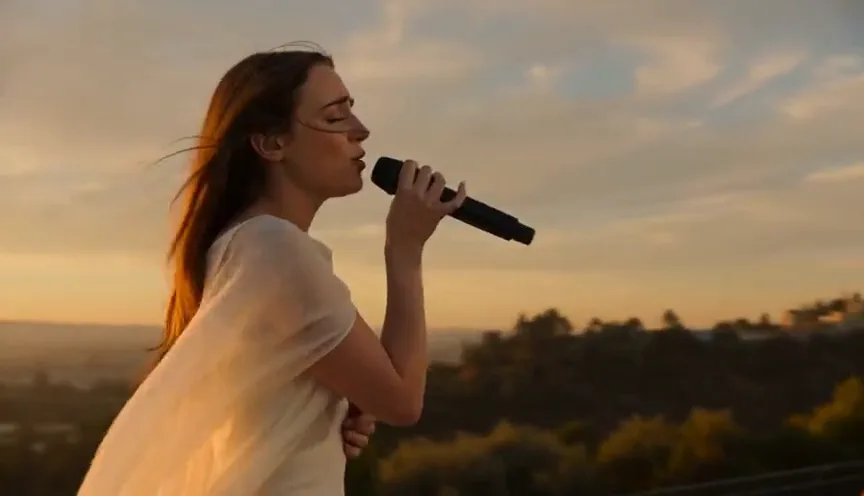
Seedance 2.5 is a next-generation AI video generator built for multimodal creation. Combine text, images, video, audio, and R2V references across up to 50 inputs to produce videos at 480p or 720p, continuous scenes up to 30 seconds, and precisely controlled content for ads, ecommerce, social media, and storytelling.
Runs in the browser · no install · new accounts start free
Create Production-Ready Videos with Seedance 2.5
Seedance 2.5 is a truly multimodal AI video model that turns text prompts, images, video, audio, and reference inputs into professional videos with cinematic depth, realistic motion, and detailed visual quality.
Key Features of Seedance 2.5
Seedance 2.5 is a next-generation AI video model built for longer, more controllable, and production-ready video creation. It combines R2V references, up to 50 multimodal inputs, continuous 30-second generation, precise local editing, multilingual support, and clean 4K output in one professional workflow.
Guide Complex Scenes with R2V References
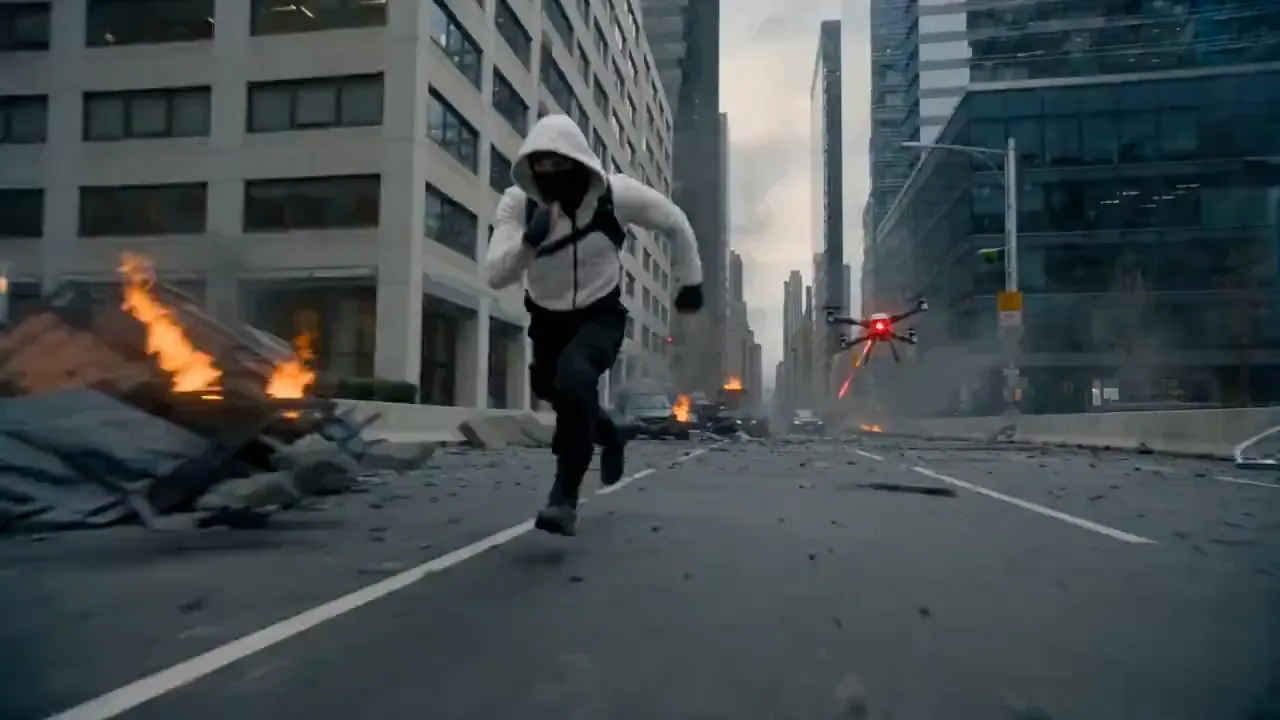
Use green-screen footage, white-model animations, or reference videos to control character movement, spatial positioning, camera direction, and interactions. Seedance 2.5 follows structured motion and scene references instead of relying only on text prompts, helping produce more accurate and stable multi-character scenes.
Generate Longer Videos with Stable Continuity
Create continuous cinematic videos up to 30 seconds in standard mode or extend sequences up to 180 seconds with the beta long-video workflow. Seedance 2.5 preserves character identity, lighting, motion, visual style, and scene continuity across longer sequences, reducing abrupt transitions and consistency errors.
Combine Up to 50 Multimodal References
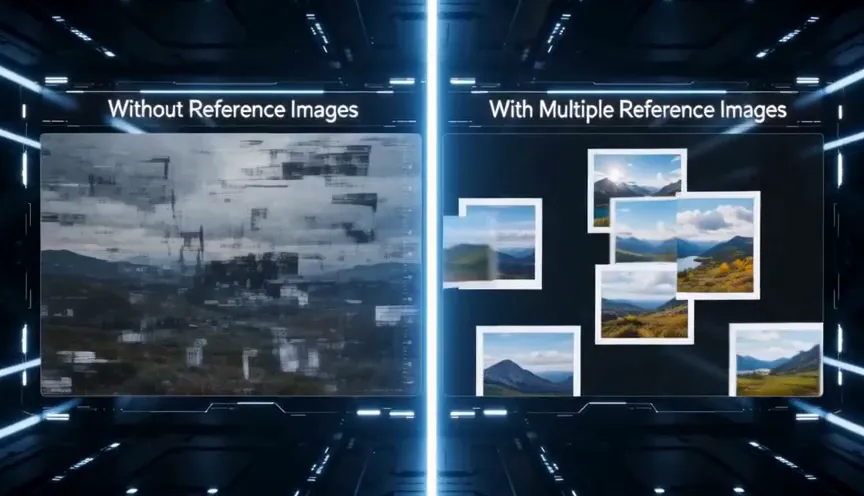
Bring text prompts, scripts, images, videos, music, character references, motion clips, and style guides into a single generation workflow. With support for up to 50 multimodal inputs, Seedance 2.5 can follow more complete creative direction and turn detailed production plans into polished video scenes.
Edit Specific Video Regions Without Regenerating
Refine only the areas that need improvement instead of recreating the entire video. Replace incorrect objects, adjust characters, modify backgrounds, or correct visual details while preserving the original lighting, composition, motion, audio, and timeline continuity. This makes Seedance 2.5 editing faster and closer to a professional post-production workflow.
Create Multilingual Videos with Clean 4K Output
Seedance 2.5 supports native-language video creation across major languages, including English, Chinese, Spanish, Portuguese, Japanese, Korean, Arabic, Thai, Vietnamese, Indonesian, and Malay. Improved generation stability also reduces unwanted subtitles and background music, producing cleaner 4K videos that are easier to localize, edit, and prepare for publishing.
Key Benefits of the Seedance 2.5 AI Video Generator
The Seedance 2.5 video generator creates production-ready videos with cinematic quality, precise creative control, longer generation times, and reliable visual continuity. It streamlines the video creation process while maintaining consistent characters, realistic motion, stable lighting, and coherent multi-scene storytelling.
Create High-Quality AI Videos Ready for Publishing
Seedance 2.5 generates polished AI videos with cinematic visuals, lifelike motion, stable lighting, and consistent character details. R2V reference control and extended video generation help creators produce reliable content for social media promotions, product marketing, advertisements, and branded campaigns.
Maintain More Control from Prompt to Final Video
Seedance 2.5 supports multimodal inputs such as text prompts, scripts, images, audio, and video references. Combined with R2V guidance and precise local editing, it gives creators greater control over character movement, scene composition, visual details, and continuity throughout the entire production workflow.
Create Videos for Social Media, Ads, Products, and Stories
Seedance 2.5 supports longer video generation of up to 180 seconds, making it suitable for commercial storytelling and multi-scene production. It can manage multiple characters, brand elements, product visuals, and narrative progression for advertisements, ecommerce videos, social media content, and cinematic stories.
Seedance 2.5 vs Seedance 2.0
Feature
Seedance 2.5
Seedance 2.0
Best For
Final 4K videos, ads, storytelling
Fast standard AI video creation
Max Duration
30s
Shorter clips
Max Resolution
Native 4K
Up to 2K
References
Up to 50 multimodal references
Up to 12 references
Audio
Stronger audio-aware generation
Audio-video joint generation
Prompt Control
Better for complex scenes
Strong for everyday prompts
Text to Video
Image to Video
Use When
You need higher quality and more control
You need faster drafts and standard output
What's new in 2.5
The Seedance 2.5 upgrades that matter
See the full breakdown in the Seedance 2.5 review, or jump straight into the generator .
30-Second Continuous AI Video Generation
Seedance 2.5 generates one continuous 30-second take natively — even scene changes, spatial transitions, and pacing shifts in a single shot, with no re-stitching — plus high-quality extension when a sequence needs to run longer.
Native 4K AI Video Output
The Seedance line renders at native 4K with industry-first native 10-bit depth, so detail, motion, and color hold up at full size — not just on a phone preview.
Up to 50 Multimodal References
Seedance 2.5 accepts up to 50 images, frames, and notes at once to lock characters, style, and continuity across the whole clip.
Local, consistent editing
Seedance 2.5 can adjust one region while the rest stays identical — re-edit a single ad to fit multiple markets, or fix a detail, without re-rolling the whole clip.
Closer to real time
Seedance 2.5 generation is tuned for faster iteration, so you can test directions and refine without long waits between takes.
Familiar Seedance 2.5 Workflow
The same prompt-and-reference flow creators already know — open Seedance 2.5 in the browser and start creating, with no new tool to learn.
Whether you're creating videos from text prompts or reference images, the Seedance 2.5 workflow remains simple. Describe your idea, add optional reference images, choose an output format, and generate a high-quality AI video ready for editing or publishing.
01
Describe the shot
Name the subject first, then setting, lighting, mood, and the camera move. A specific brief gives Seedance 2.5 a clear target and fewer retries.
02
Add references
Bring up to 50 images or frames to lock a character, a product, or a look — Seedance 2.5 holds them consistent across the clip.
03
Set the format
Pick 16:9, 9:16, or 1:1, choose your resolution up to 4K, and a clip length up to 30 seconds in a single take.
04
Generate & refine
Preview, keep the takes that work, and adjust one variable at a time. Local editing lets you fix a region without re-rolling the whole shot.
Use cases
What you build with Seedance 2.5
One model, many jobs — from a quick social clip to a finished, repeatable scene.
AI Film, trailers & short drama
Seedance 2.5 uses a continuous 30-second take to carry a real beat — an establishing shot, a turn, and a resolution — without cutting between fragments. Bring a set of references and an ensemble of characters stays on-model from the first frame to the last, which is what turns a lucky generation into a usable scene.
AI Ads, ecommerce & overseas campaigns
Seedance 2.5 region-level editing pays off here: approve one polished spot, then re-cut it for each market — swap a product, a price, or a line of on-screen text — while the shot, lighting, and overall quality stay identical. A single asset becomes a dozen localized versions without a reshoot.
AI Game, product & pre-visualization
Drive Seedance 2.5 previz straight from a reference set — feed in a white model of close to 100,000 faces plus material references and get back a fully rendered clip. Even in dynamic shots like collisions, structure, proportion, and motion stay stable, so earlier design assets and shot plans carry straight over.
AI Social & content
Pick 16:9, 9:16, or 1:1 in Seedance 2.5 and export production-ready clips for feeds, stories, and reels, with smooth motion you can drop straight into a post instead of opening a heavy timeline. Because each generation is quick and cheap to draft, it is easy to spin up several variants of a hook and keep only the one that lands.
Seedance 2.5 Pricing
Start with free signup credits, then choose a one-time credit pack when you need more generation time. Credits never expire and work across supported Seedance video workflows.
Starter
$9.90one-time
$0.0248 / credit
400credits
Entry pack for testing short clips
About 50 seconds of 720p video on Seedance 2.0 Fast
Text-to-video and image-to-video
Credits never expire
Most Popular
Creator
$29.90one-time
$0.0239 / credit
1,250credits
Most popular for regular short-form drafts
About 156 seconds of 720p video on Seedance 2.0 Fast
Headroom for Seedance 2.0 and 1.5 Pro
Credits never expire
Pro
$49.90one-time
$0.0227 / credit
2,200credits
Higher volume for iteration
About 275 seconds of 720p video on Seedance 2.0 Fast
Room for 1080p on Seedance 2.0
Credits never expire
Studio
$99.90one-time
$0.0192 / credit
5,200credits
Best value for high-volume creators
About 650 seconds of 720p video on Seedance 2.0 Fast
Seedance 2.5 is a next-generation AI video generation model that creates high-quality videos from either natural language prompts or reference images. It supports both Text to Video and Image to Video workflows, helping creators produce longer, more consistent AI videos for storytelling, advertising, product visualization, education, and social media content.
2. Does Seedance 2.5 Support Text to Video?
Yes. Seedance 2.5 supports Text to Video, allowing you to generate original AI videos directly from written prompts. Describe your subject, action, environment, camera movement, lighting, mood, and visual style, and the model generates a coherent, high-quality video based on your instructions.
3. Does Seedance 2.5 Support Image to Video?
Yes. Seedance 2.5 also supports Image to Video, enabling you to animate reference images while preserving the original composition, characters, products, or artistic style. This workflow is ideal for product showcases, concept art, fashion campaigns, and brand marketing.
4. How Do I Write Better Seedance 2.5 Prompts?
The best prompts describe not only the subject but also the action, environment, camera movement, lighting, mood, and visual style. A detailed prompt generally produces more consistent AI video results than a short, vague instruction.
5. What Can I Create with Seedance 2.5?
Seedance 2.5 can create commercial advertisements, product showcase videos, AI short films, social media content, educational videos, concept visualization, character animations, game cinematics, and creative storytelling projects.
6. Who Is Seedance 2.5 Built For?
Seedance 2.5 is designed for content creators, marketing teams, designers, filmmakers, game developers, educators, product teams, and creative agencies that need an efficient AI video creation workflow.
7. What Is the Difference Between Text to Video and Image to Video?
Text to Video generates a completely new video from a written prompt, making it ideal for original ideas and storytelling. Image to Video starts with a reference image and adds realistic motion while preserving the original composition, character, or product appearance.
8. Can I Use Seedance 2.5 for Commercial Projects?
Seedance 2.5 is designed for professional AI video creation and can be used for commercial workflows such as advertising concepts, product marketing, presentations, and creative production. Before publishing generated content, review the applicable licensing terms and usage policies.
9. How Is Seedance 2.5 Different from Previous Seedance Models?
Compared with previous Seedance models, Seedance 2.5 introduces longer continuous AI video generation, improved Text to Video and Image to Video capabilities, stronger scene consistency, native 4K rendering, support for multimodal references, and more flexible local editing.
10. Where Can I Start Using Seedance 2.5?
Start by opening the Seedance 2.5 generator, describing your idea with a text prompt or uploading a reference image, selecting your preferred output settings, and generating your first AI video. New users can also explore guides, prompt examples, and review articles to learn how to achieve better results.
Get started
Be first to create with Seedance 2.5
Explore the workflow and showcase, then open the browser generator and create your first Seedance 2.5 shot.